New Heights Climbing New Heights Workshop
Record a line on official rock, or build a whole crag in the Unity tool.
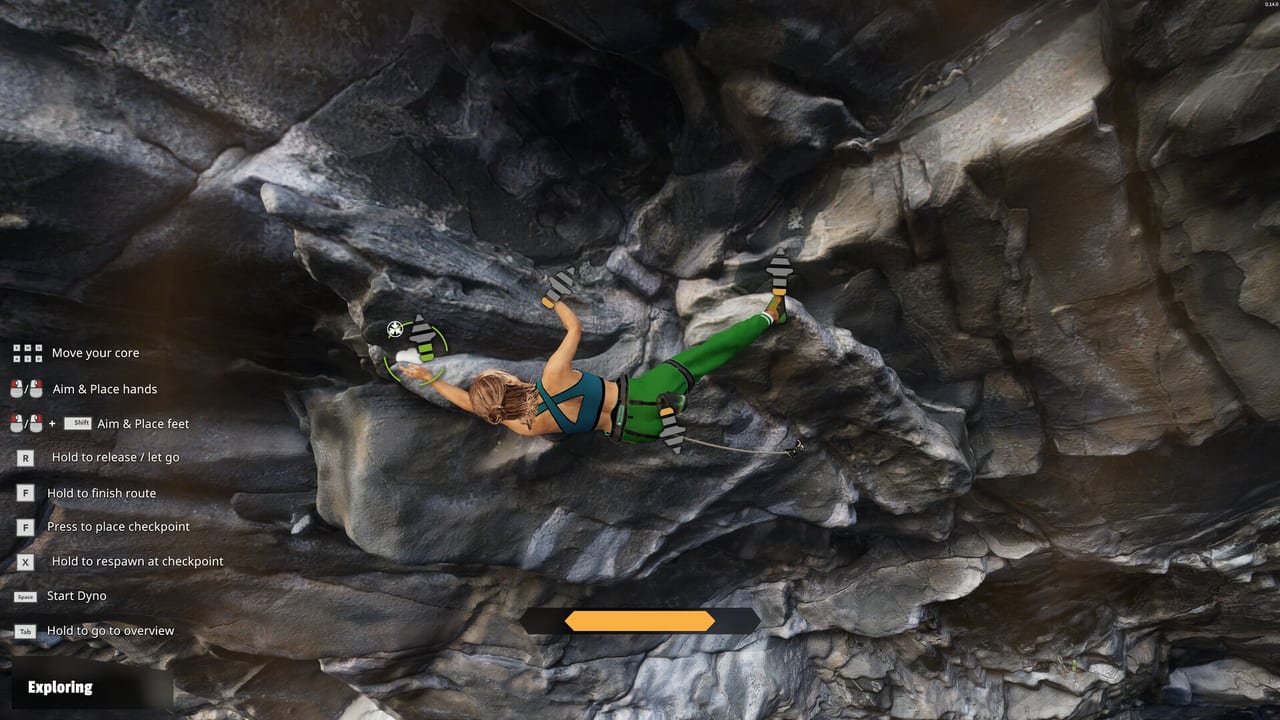
Steam Workshop support landed in the July 2024 major update and stayed in the 2026 full release. You can record routes on official scans, or author entire locations in a small Unity project Wikkl Works ships as a Workshop wizard. This page is the player-facing workflow. Official write-ups live on newheightsgame.com under the route and location blogs; the links hub lists them.
Record a route in-game
Activate explore mode. Climb the line you want to share. The dashed preview is what other players will see. Press F (D-pad right on a controller) to drop a checkpoint at your current stance — that becomes their respawn if they fall. When the sequence is done, hold F to finish and set the camera that presents the route. Hold G (D-pad left) to cancel a bad take.
Checkpoints should sit on real rest stances, not in the middle of a dyno. On sport lines, park them on clip stances so the 2026 rope still makes sense. Publish through the in-game Workshop flow once you are happy. You can record on built-in crags and on community locations.
The 2024 menu rework removed fiddly mouse-over route picking. Routes may now cross, which is why a single Font boulder can host many user lines without fighting the official circuit.
Build a custom location
The location tool is a Unity project with a Steam Workshop wizard. You need Steam and New Heights installed. Geert Beuneker’s tutorial (embedded here) covers install, W/E/R transform gizmos, a first boulder wall, export, in-game test, and upload. Lighting in the tool will not match the game exactly — always playtest inside New Heights before you ship.
You can place premade holds, import almost any 3D model, and design pitches on existing official meshes. That last option is how you add a mega-route on Crèvecoeur or Al Lègne without scanning a new cliff. Keep collision honest: a beautiful mesh that the solver cannot grab is a screenshot, not a crag.
Export creates an ID. If New Heights will not open the scene, close the tool first — the two apps can fight over the Steam session. After a good in-game test, fill the wizard’s upload form, add a cover image, and write change notes. Community locations appear in their own browser, not mixed into Fontainebleau’s official list.
Quality bar
A good Workshop item has a readable name, a grade hint, checkpoints on rests, and a camera that shows the crux. Tag whether it is boulder or sport. If you used textureless-unfriendly albedo, say so. Do not upload a location that only works with debug cameras.
Play other people’s lines from the route ranking mindset: start easy, then hunt novelty. Workshop is also how you climb buildings, gyms, and jokes the photogrammetry team will never scan. For the keys used while recording, keep the control sheet open. For first-time players, finish getting started before you publish anything — you want your beta to be a real sequence, not a panic traverse.
Wikkl Works still adds official locations. Workshop does not replace Hanshelleren; it fills the nights between official drops. When a patch lands, re-test your item. The 2026 climbing solver is stricter than the 2023 one, and old community routes can break in honest ways.
Frequently Asked Questions
Quick answers to the most common questions.
Do I need Unity to share a route?
No. Recording in explore mode is enough for a line on an existing location. Unity is only for new meshes.
Which keys finish or cancel a recording?
Hold F to finish, hold G to cancel, tap F to place a checkpoint. Controller uses D-pad right and left.
Where are the official tool docs?
newheightsgame.com/blog/how-to-create-your-own-routes and how-to-create-your-own-locations, linked from the links hub.